AI CLI Integration Guide
How to control Unity from terminal-based AI tools like Claude Code, Codex CLI, and Gemini CLI.
ChatGPT Users Click Here
Beginner FriendlyWe prepared a detailed guide for those who want to control Unity with ChatGPT (Codex CLI).
About This Page
This guide is for users who want to control Unity with AI tools other than Claude Desktop, Cursor, or VS Code (Copilot).
If you're using Claude Desktop, Cursor, or VS Code (Copilot), please see the Setup Guide (one-touch configuration available).
Requirements
- Node.js 18 or later (If not installed, nodejs.org to download)
- One of the CLI tools (see below)
- Synaptic AI Pro v1.1.4 or later
Install CLI Tool
Install the CLI tool for your preferred AI service.
Claude Code
AnthropicAnthropic's official CLI. Powerful code understanding and generation.
npm install -g @anthropic-ai/claude-codeCodex CLI
OpenAIOpenAI's official CLI. Available with ChatGPT Plus or higher.
npm install -g @openai/codexGemini CLI
GoogleGoogle's official CLI. Free tier available (60 requests/min).
npm install -g @google/gemini-cliVS Code / Cursor Extensions
VariousFor VS Code or Cursor extensions (like Codex extension), this method is also required.
Extensions cannot use the editor's MCP settings, so they connect via HTTP API.
How to Use (5 Steps)
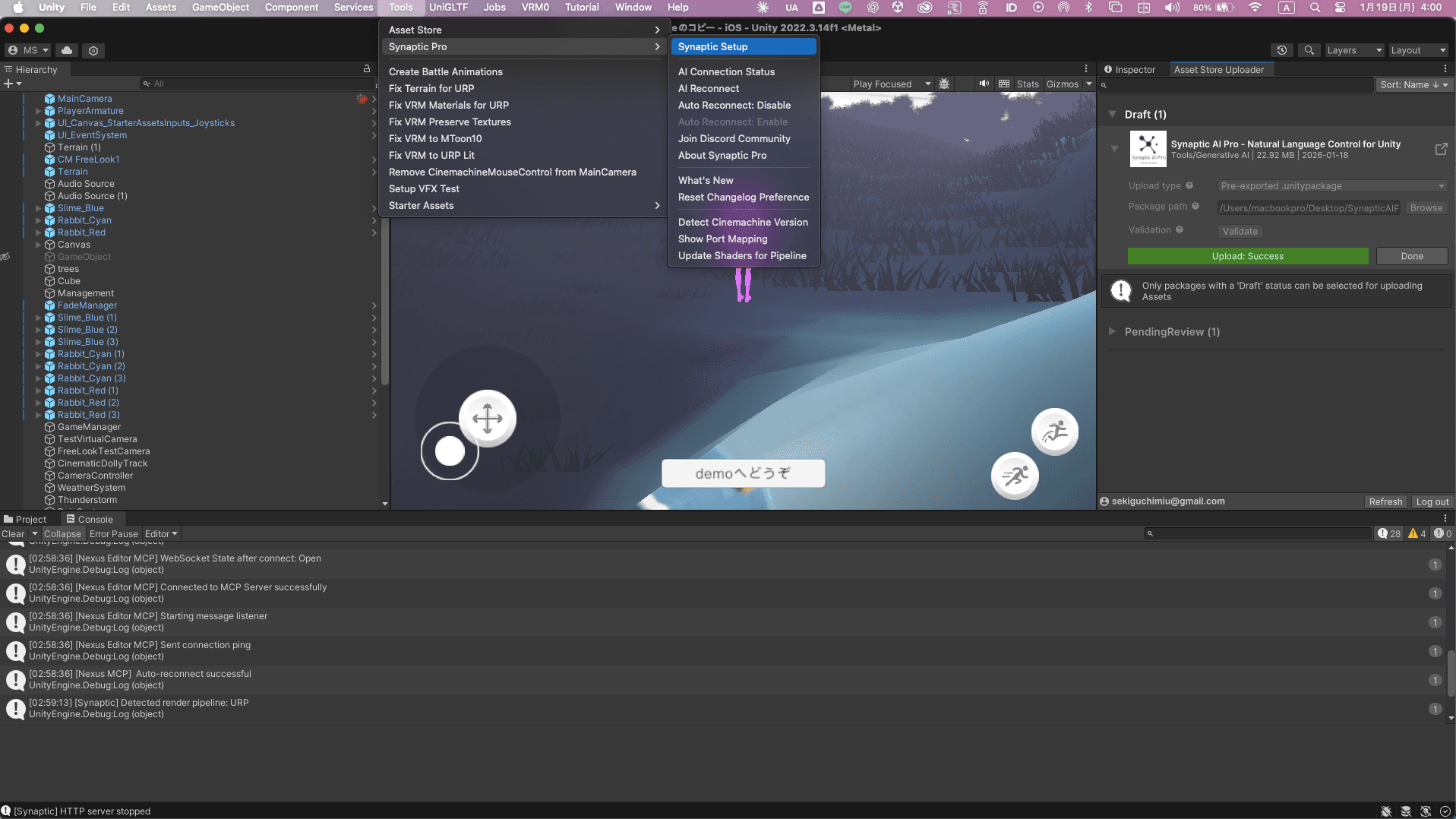
Open Setup Window
In Unity menu: Tools → Synaptic Pro → Setup Window
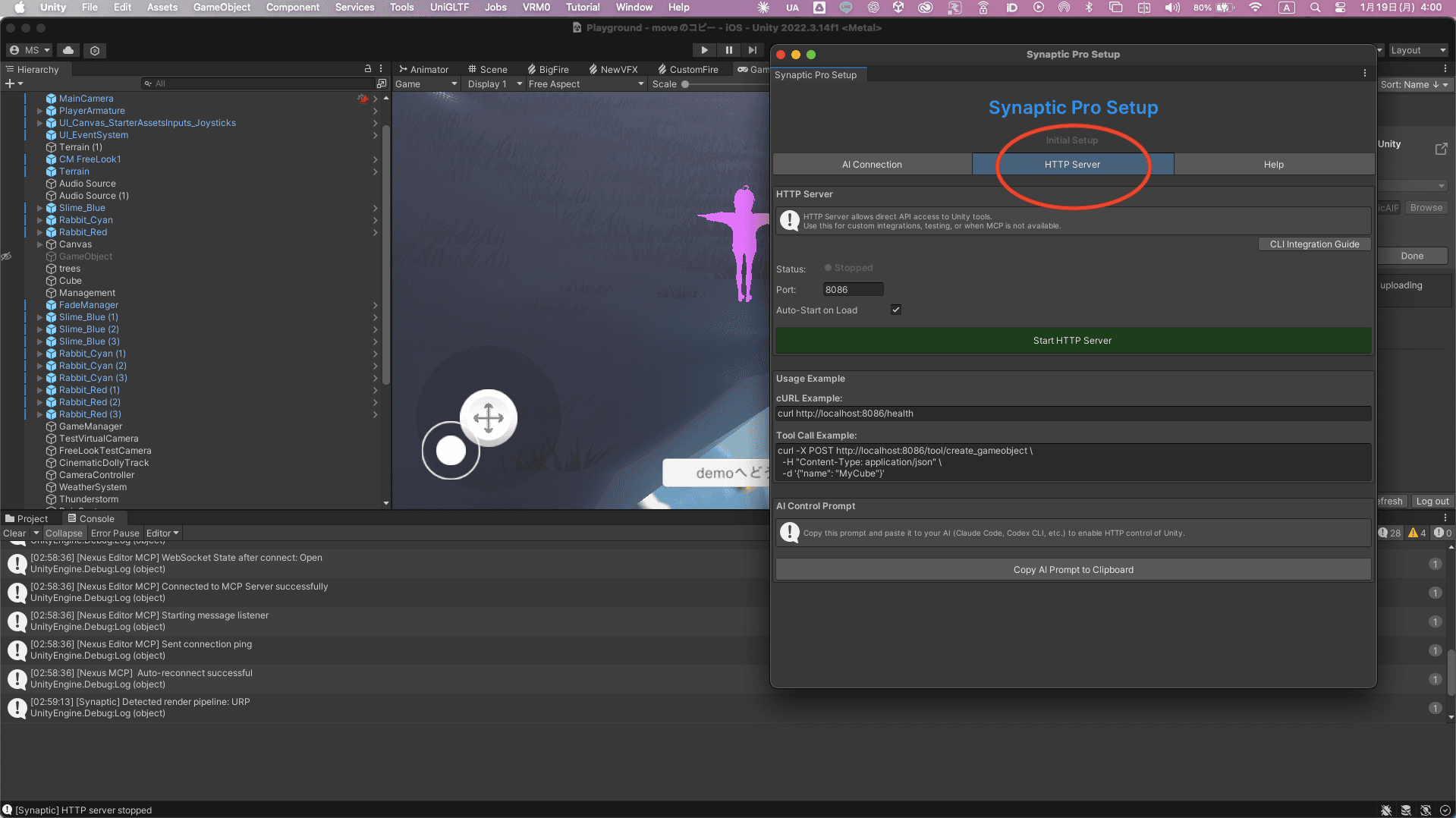
Switch to HTTP Tab
Click HTTP Server tab to switch
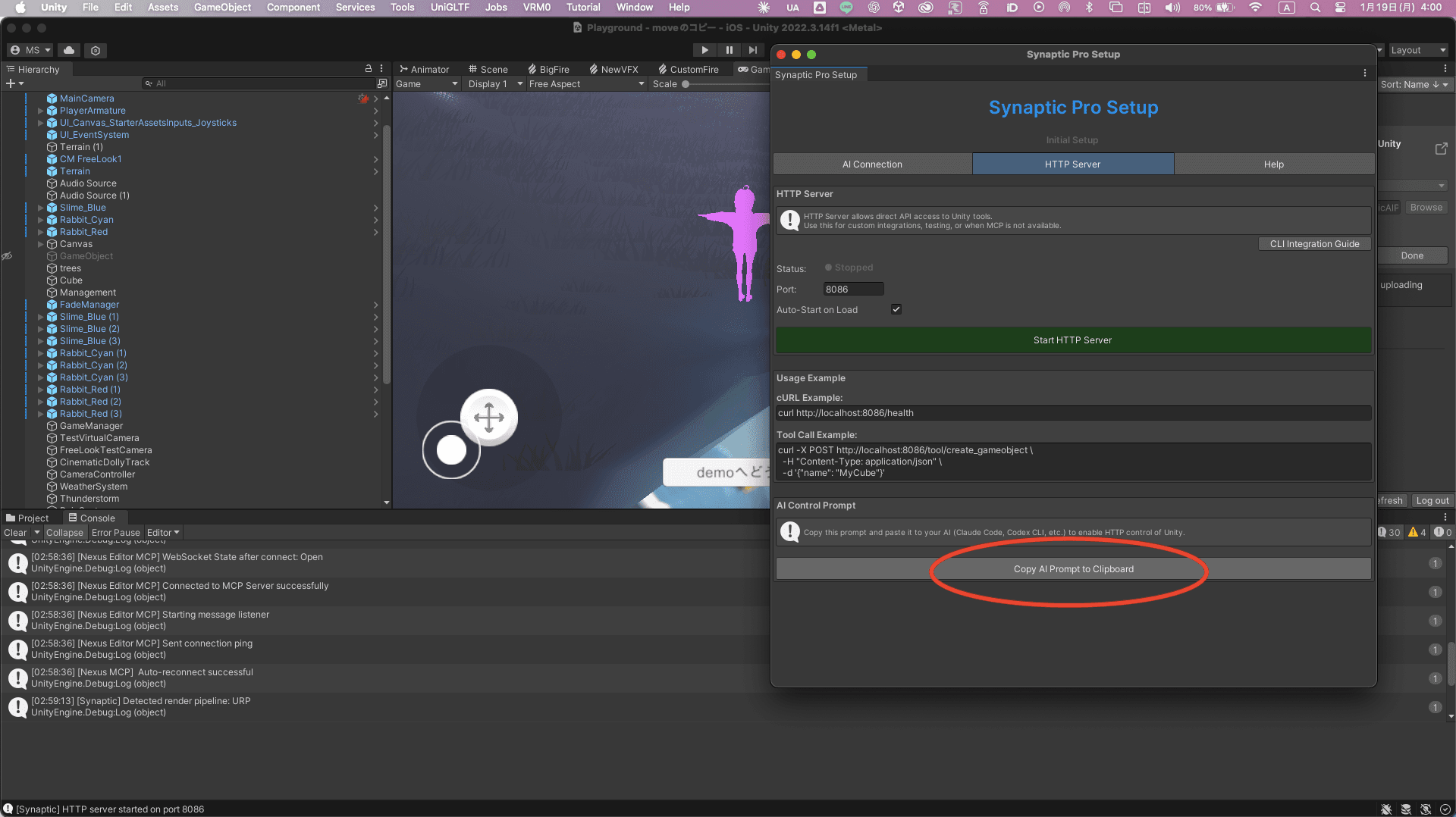
Copy Prompt
Click Copy Prompt Template button
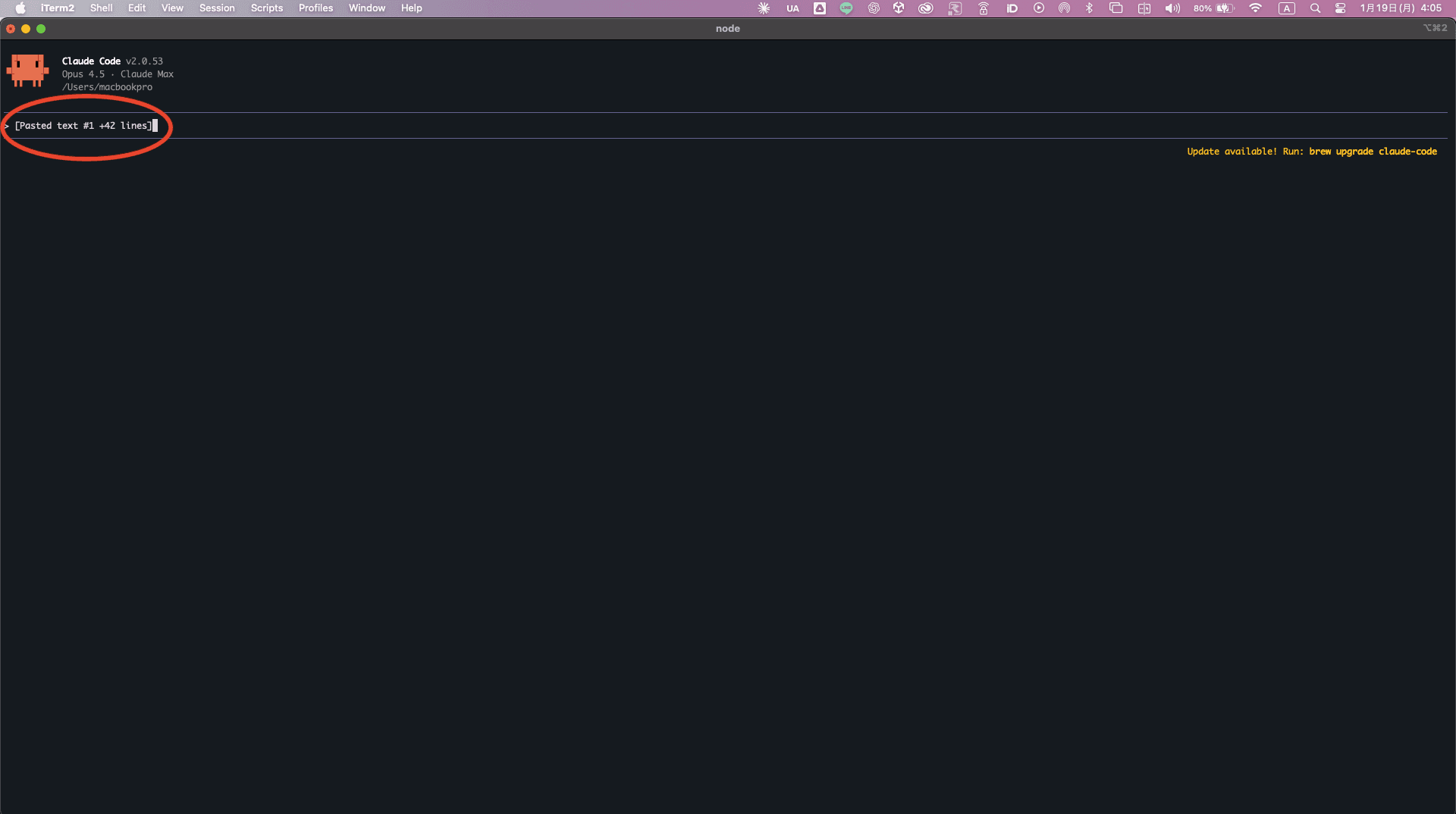
Paste to CLI
Paste the prompt to Claude Code, Codex CLI, Gemini CLI, etc.
Key Point
Since it just hits HTTP endpoints, CLI can run from any directory. The server is started from Unity, so no cd commands needed in CLI.
Now just talk to the AI. Try saying "create a red cube" to test it out.
💡Pro Tip: Automate with Skills
Using CLI's Skills feature, you don't need to paste the template every time.
How to set up:
- Copy prompt from Unity Setup Window's HTTP tab
- Tell CLI: "Create a skill with this content"
- From now on, the template is applied automatically
Thanks: Synaptic AI user
Start HTTP Server
Click Start HTTP Server button and you're done!
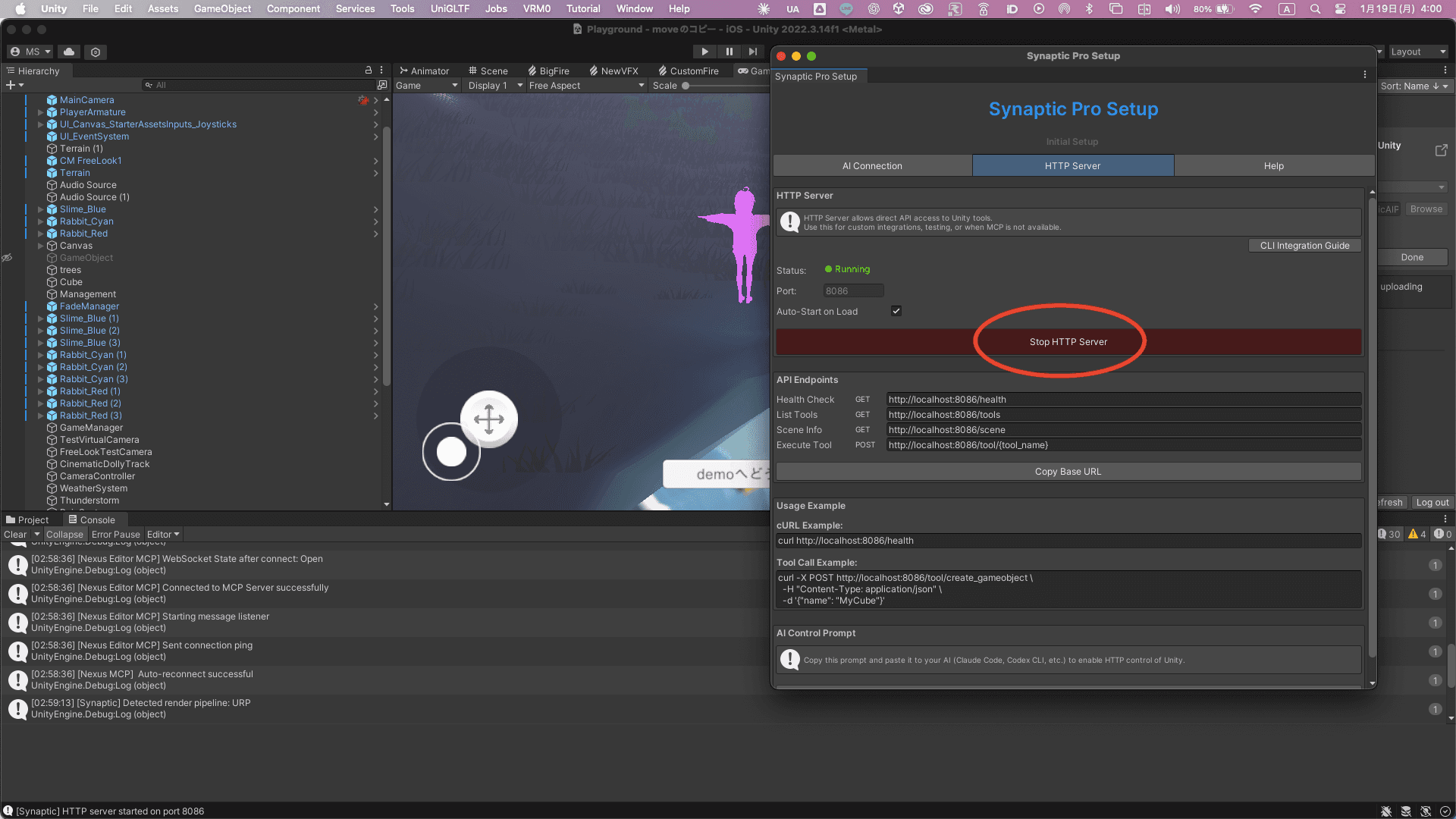
You're all set!
Now just talk to the AI. Try saying "create a red cube" to test it out.
Conversation Example
Troubleshooting
'node: command not found' appears
Node.js is not installed. Please install from nodejs.org.
'Connection refused' appears
Check if Unity Editor is running. Also verify Synaptic AI Pro is installed.
AI cannot start the server
Make sure you're working in the Unity project folder. Check that Assets/Synaptic AI Pro/MCPServer folder exists.
[Windows] curl command doesn't work
On Windows PowerShell, 'curl' may be an alias for Invoke-WebRequest. Try using 'curl.exe http://localhost:8086/health' instead.